

Option
-
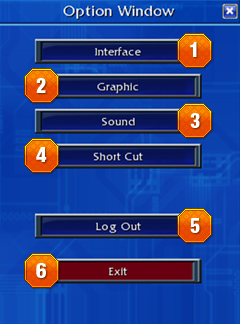
Option Window
You can customize your settings at Option
Window. -
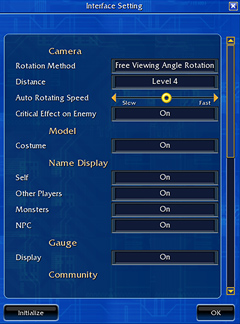
 Interface
Customize the display settings for Monster
& NPC names, Speech bubbles and etc. -
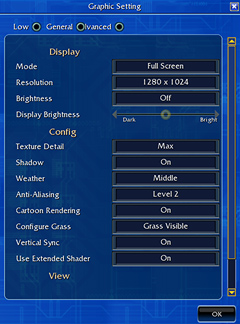
 Graphic
Change graphical configurations as you like,
and choose between full screen and window
modes for your convenience. -
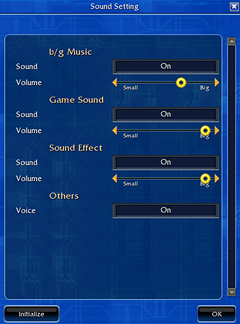
 Sound
SoundSound on/off and volume controlling are
available at Sound Setting. -
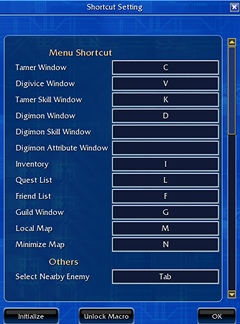
 Shortcut
There are default shortcut keys already set
for you, however, you can always change
the shortcut keys as you like.
Check the default setting below. -
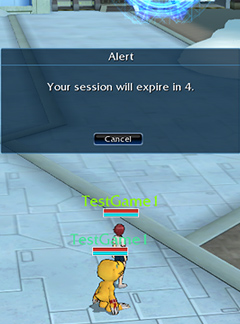

 Logout & Game Exit
You'll always have 4 seconds to cancel
logging out or exiting from the game.
Shortcut |
Function |
Shortcut |
Function |
|---|---|---|---|
 |
Tamer |
  
|
Interface On/Off |
 |
Digivice |  |
Quick Evolution Button 1 |
 |
Tamer Skills |  |
Quick Evolution Button 2 |
 |
Digimon |  |
Quick Evolution Button 3 |
 |
Inventory |  |
Quick Evolution Button 4 |
 |
Quest List |  |
Quick Evolution Button 5 |
 |
Friends List |  |
Quick Degeneration |
 |
Local Map |
  
|
Tamer Slot 1~8 |
 |
Target Enemies Nearby |
 
|
Digimon Slot 1~8 |